1. 먼저 VSC 를 먼저 다운 로드 받는다
https://code.visualstudio.com/
Visual Studio Code - Code Editing. Redefined
Visual Studio Code is a code editor redefined and optimized for building and debugging modern web and cloud applications. Visual Studio Code is free and available on your favorite platform - Linux, macOS, and Windows.
code.visualstudio.com
2. python을 다운로드 받는다
먼저 파이썬이 있는지 없는지도 확인
https://www.python.org/downloads/
Download Python
The official home of the Python Programming Language
www.python.org
작업환경이 3.9.13 이였어서 3.9.13 버전으로 다운로드 받음
https://www.python.org/downloads/release/python-3913/
Python Release Python 3.9.13
The official home of the Python Programming Language
www.python.org
파이썬 버전확인
python --version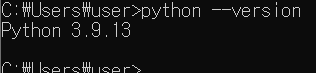
잘 받아진 것을 확인할 수 있다
가상환경을 만들어 주자
python3 -m venv /path/to/new/virtual/environment
가상환경을 만들 폴더에 접근해주자 (폴더가 없으면 아래의 명령어로 생성가능)
mkdir 폴더이름
cd 폴더이름
가상환경 모듈을 불러와주고
python -m venv /path/to/new/virtual/environment왜인지 모르겠지만 python3라고 하면 안됌
가상환경이름을 만들어주자
python -m venv 가상환경이름
가상환경 실행을 위해 Scripts 파일에 접근
cd 만든가상환경이름\Scripts
가상환경 실행
activate
다음과 같이 맨 앞에 가상환경 이름이 있으면 성공
만약 requirements.txt가 있다면 다음 명령어로 라이브러리를 다운로드 받아주자
pip install -r requirements.txt설정이 안된 컴퓨터는 다음과 같은 오류가 난다
ERROR: Could not open requirements file: [Errno 2] No such file or directory: 'requirements.txt'
WARNING: You are using pip version 22.0.4; however, version 22.3.1 is available.

단순히 pip version이 맞지 않다는 뜻이므로 밑에 나옴 명령어를 복붙해주자
python.exe -m pip install --upgrade pip위에 error를 확인하기 위해
find -name "requirements.txt"파일을 찾아보니

없댄다
dir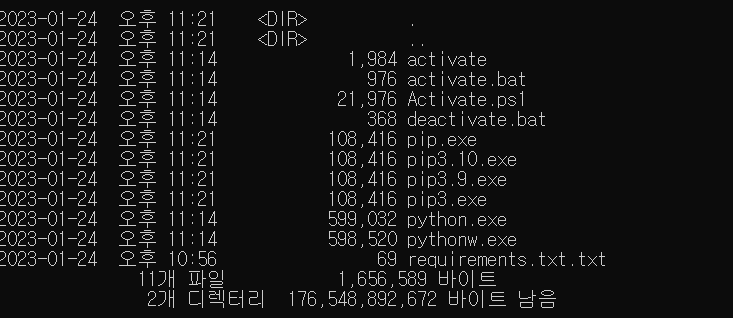
내가 확장자 이름 숨겨진지 모르고 txt 강제로 붙여서 생긴 문제다
역시~ 허무해
다시
pip install -r requirements.txt
그 다음 기본 터미널을 bash로 설정해주자
vsc 켠다음 f1을 눌러주기
터미널에 Perferences: open Default setting을 쳐주고 json을 열어준다
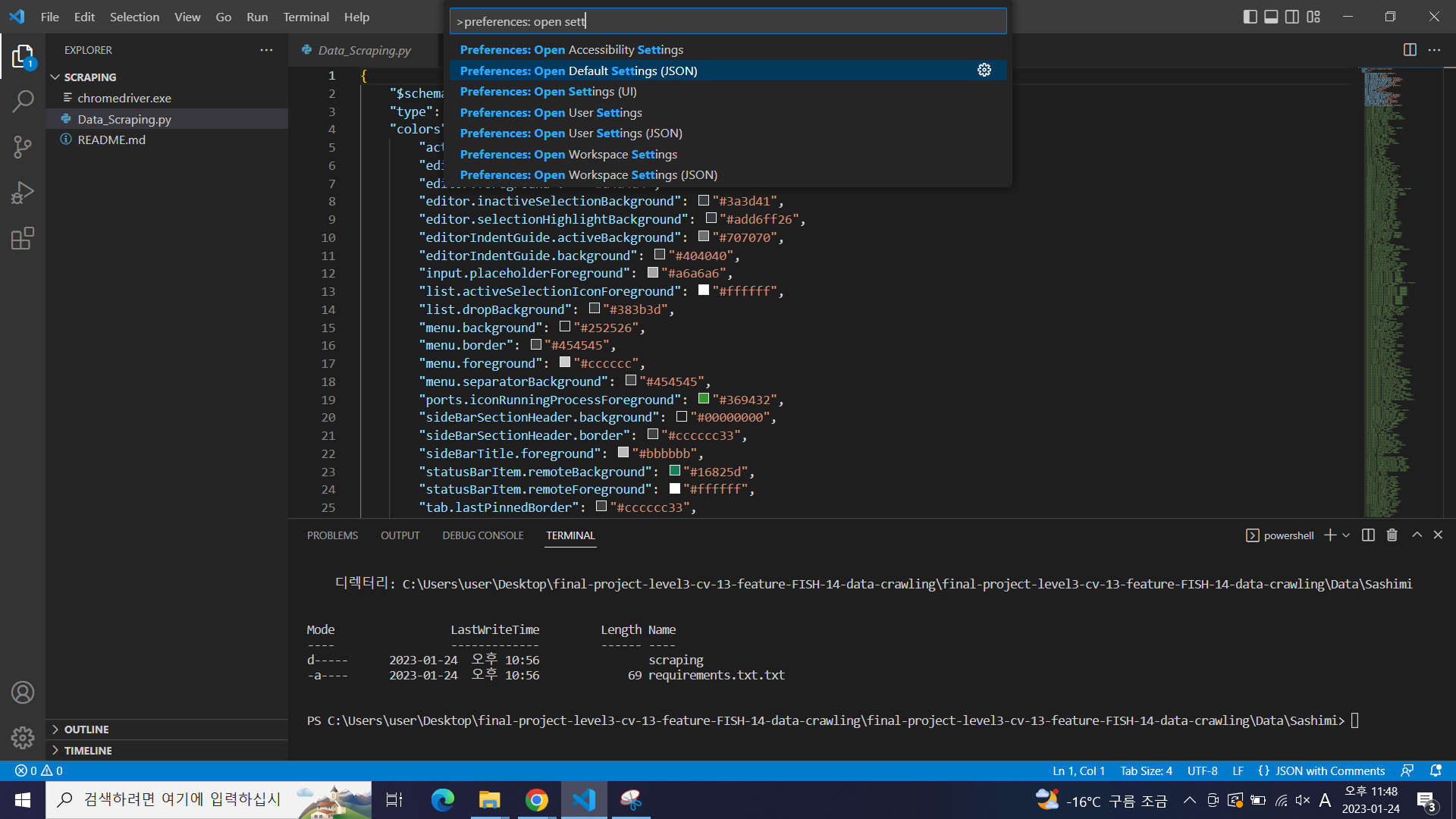
검색 기능을 켜서
terminal.integrated.defaultProfile.windows" 를 검색
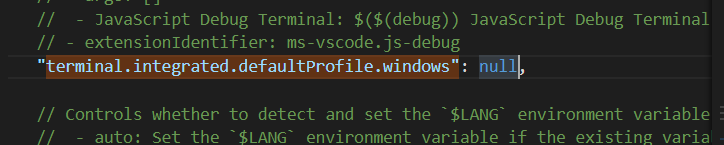
저기 null 부분을 "GitBash"로 바꾸기
"GitBash"
실패 ㅜㅜ
File - Preperences - Settings
혹은 ctrl+, (설정) > 'terminal.integrated.shell' 입력 > 파일 클릭
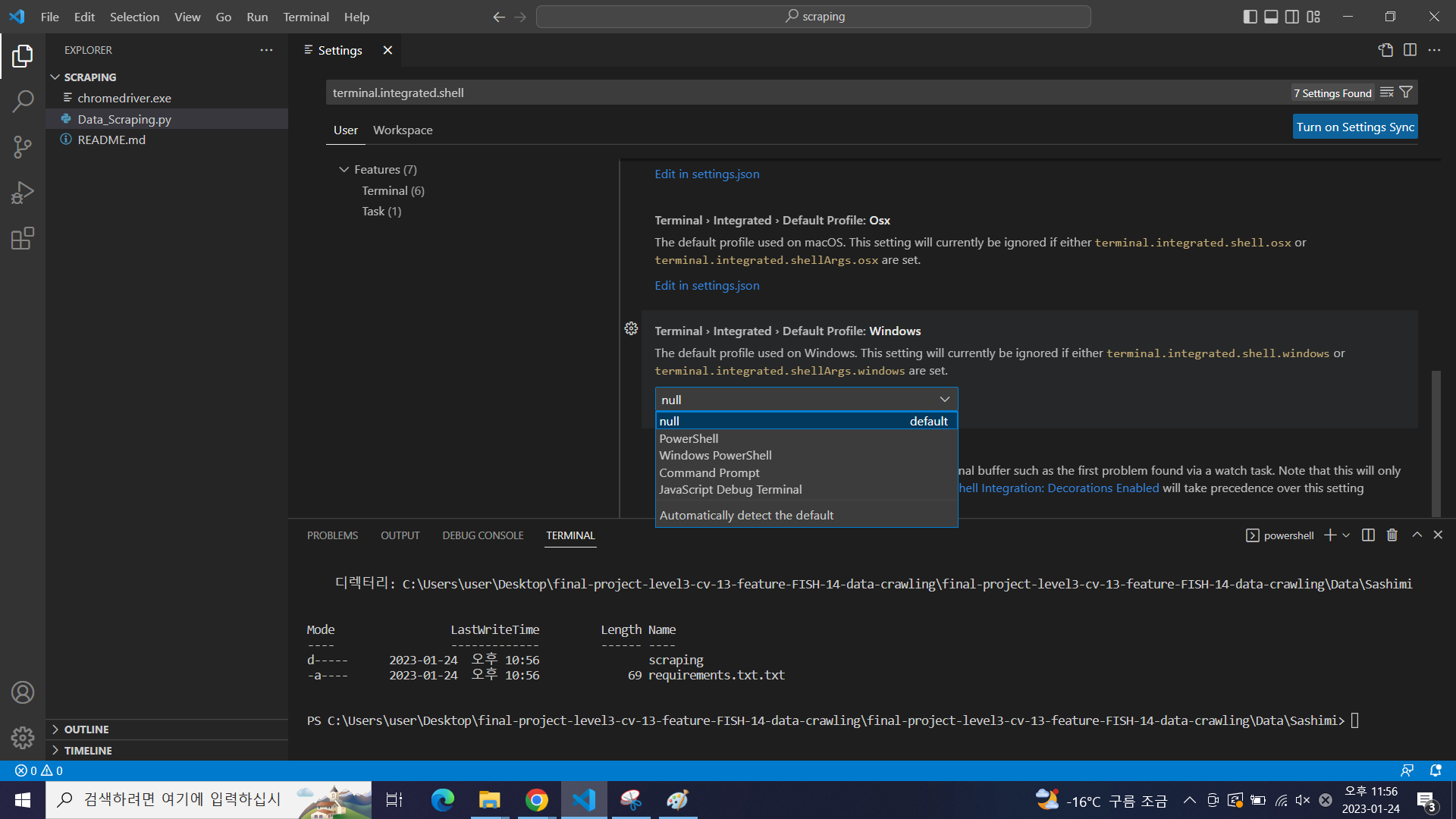
오잉.. git bash가 없네요
실제로 프로그램 파일을 확인해보면
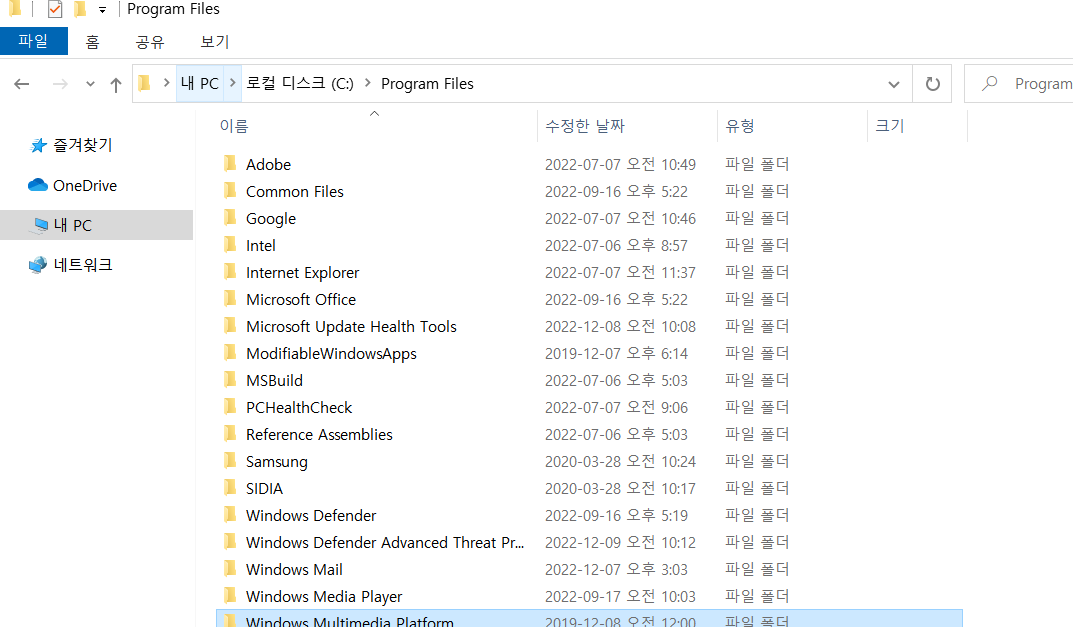
당연히 있을 줄 알았던 Git이 없는 상황
바로 다운로드
Git
git-scm.com
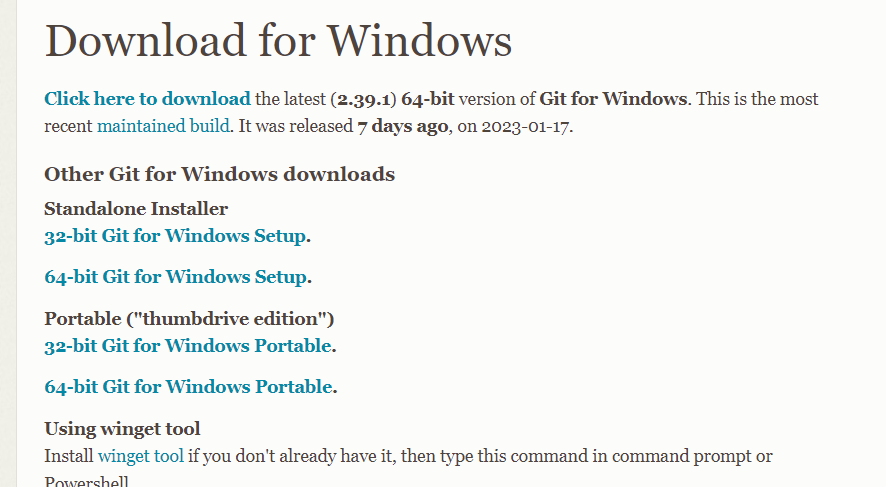
64 bit set up 다운로드 그나저나 32 bit를 아직까지 쓰는 사람이 있나라는 생각
이것 들만 바꿔줌 (아래 링크 참고)
https://jstar0525.tistory.com/181
[Windows 10] Git 설치 및 사용 설정
1. git 설치 (빨간색을 제외하고, default 설치) https://git-scm.com/ Git git-scm.com 2. Git Bash 또는 Git CMD에서 이름, 이메일 설정 $ git config --global user.name "John Doe" $ git config --global user.email johndoe@example.com ref. ht
jstar0525.tistory.com
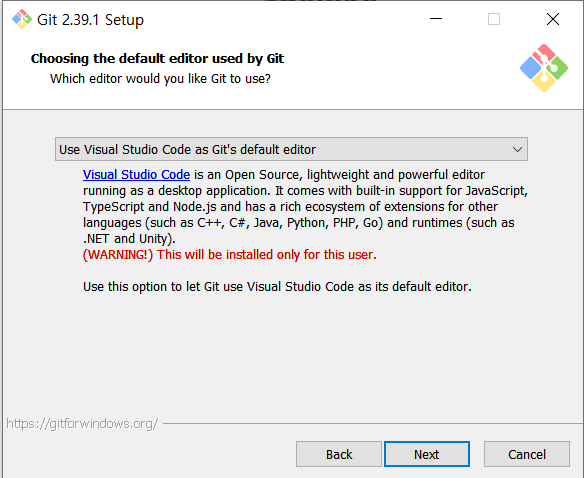
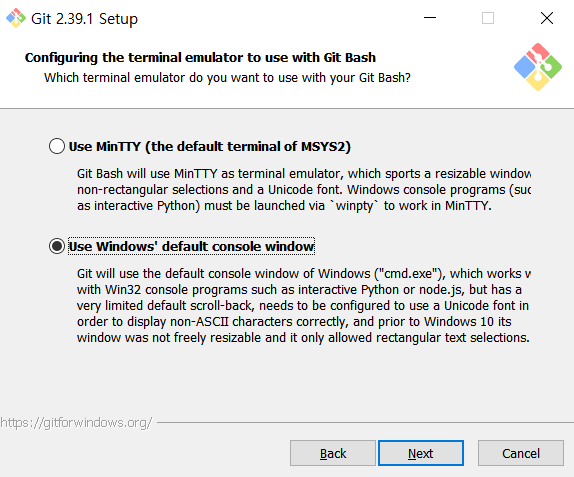
그러고 vsc 켜줘서 위에 과정 반복
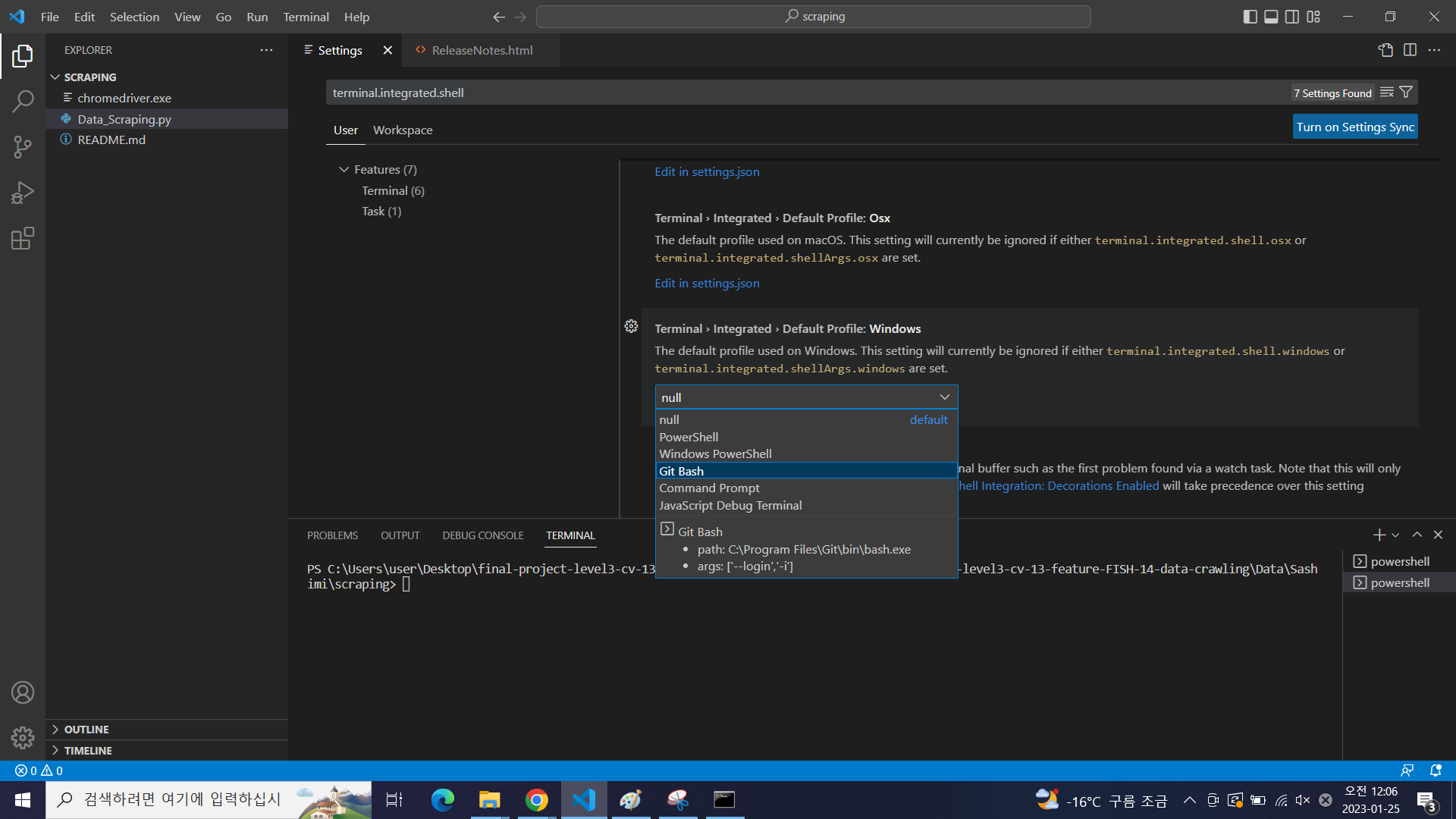
Git bash 두두둥장!!
나머지 필요한 extension 다운로드
'etc > 환경설정' 카테고리의 다른 글
| [환경설정] window에서 가상환경 만들기(venv) (0) | 2023.01.30 |
|---|---|
| window에서 가상환경 실행 (0) | 2023.01.25 |
| [환경설정] VSC와 서버연결 (0) | 2022.12.21 |
| [P stage][obj det] jira와 vsc 연결 (0) | 2022.11.17 |
| [Python] Anaconda 환경설정 (0) | 2022.11.11 |


